View Logs
Users Login Log
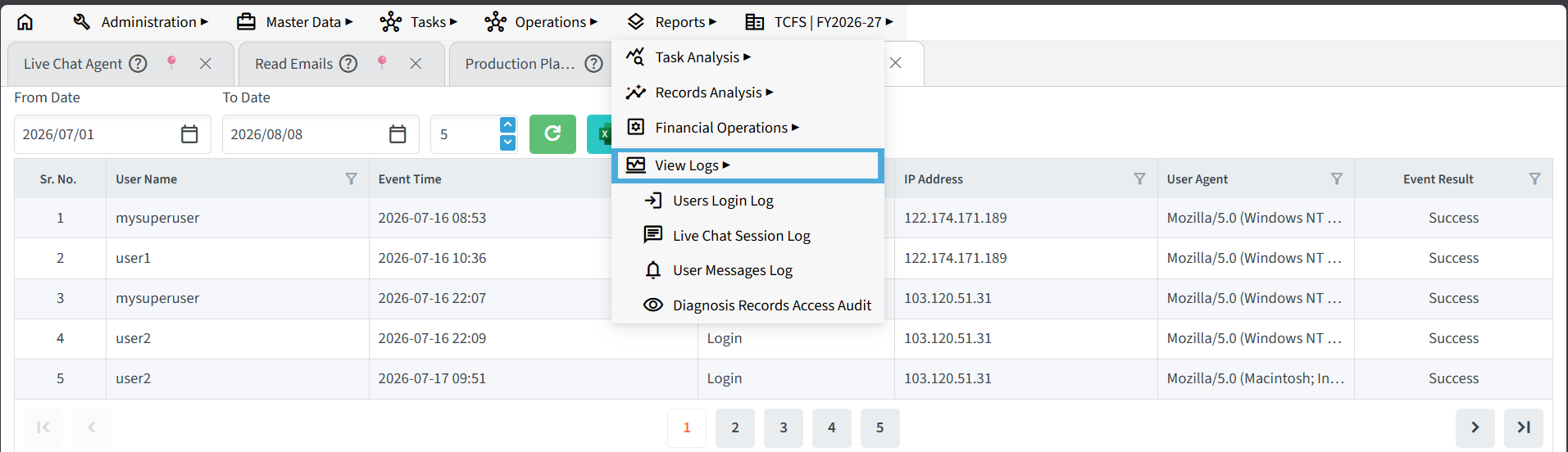
The Users Login Log records every login attempt made by users in the application. It helps administrators monitor user access, verify login activity, and review the history of system usage. The log can be useful when investigating unauthorized access attempts, troubleshooting login-related issues, or auditing user activity.
This section displays the login history of users within a specified date range – helpful for tracking system access and ensuring security.
- From Date / To Date: Set the time period you want to review login activity for (e.g., 7th July 2025).
- User Name: Shows the username that logged in (e.g., customer01).
- Login Time: Displays the exact time of login.
- IP Address: Identifies the network location from which the user accessed the system.
- Browser Info: Shows the browser and device details used during login (e.g., Chrome on Windows or Mac).
- Status: Indicates whether the login was successful or failed.
Administrators can also export the login log to Excel for reporting purposes or delete older log entries to reduce database storage and maintain system performance.
Live Chat Log
The Live Chat Log stores the complete conversation history between customers and support agents. It enables administrators and managers to review interactions, monitor response quality, and evaluate customer support performance.
These logs can be used to identify common customer queries, measure response effectiveness, and improve service quality. They can also be analysed using AI to identify communication patterns and recommend suitable training topics for customer support agents.
Users Message Log

The Users Message Log maintains a record of messages exchanged between users within the application. Even if both the sender and receiver delete a message from their view, the message remains stored in the system for administrative purposes.
Administrators can review these records when required and delete messages in bulk to free up database space and improve system maintenance. This helps manage long-term storage without affecting the application’s messaging functionality.
Diagnosis Records Access Audit Log

The Diagnosis Records Access Audit logs every instance a user views or modifies a patient’s diagnosis details. It records the specific user, their IP address, access date, patient name, phone number, action type, workflow type, record type, and Record Task ID. System administrators use this data to verify who opened individual patient files, track specific record changes, and detect unauthorized data views across the healthcare platform.