Welcome to our Support Center
Products Opening Balance
Products Opening Balances is used to view and manage the opening stock and opening debit balance for products.
How to Access
- From the main menu, click Operations.
- Select Inventory.
- Select General.
- Click Products Opening Balances.

Products Opening Balances
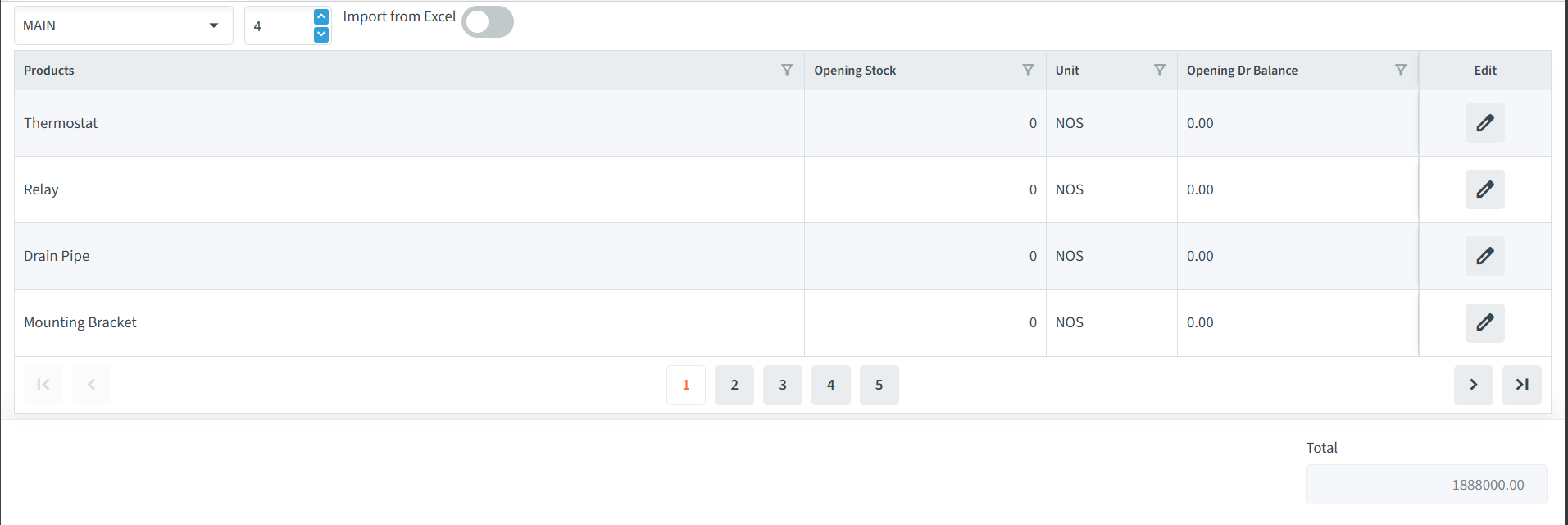
The Products Opening Balances page displays the opening balance information for products.
Available Fields
- Products – Displays the names of the products.
- Opening Stock – Displays the opening stock quantity for the product.
- Unit – Displays the unit of measurement for the product.
- Opening Dr Balance – Displays the opening debit balance associated with the product.
- Edit – Allows the opening balance details to be modified.
Additional Options
- Items per Page – The number displayed in the field indicates how many product items are shown on the screen at a time. The default value is 4. Click the field and adjust the number according to your requirement.
Editing Product Opening Balances
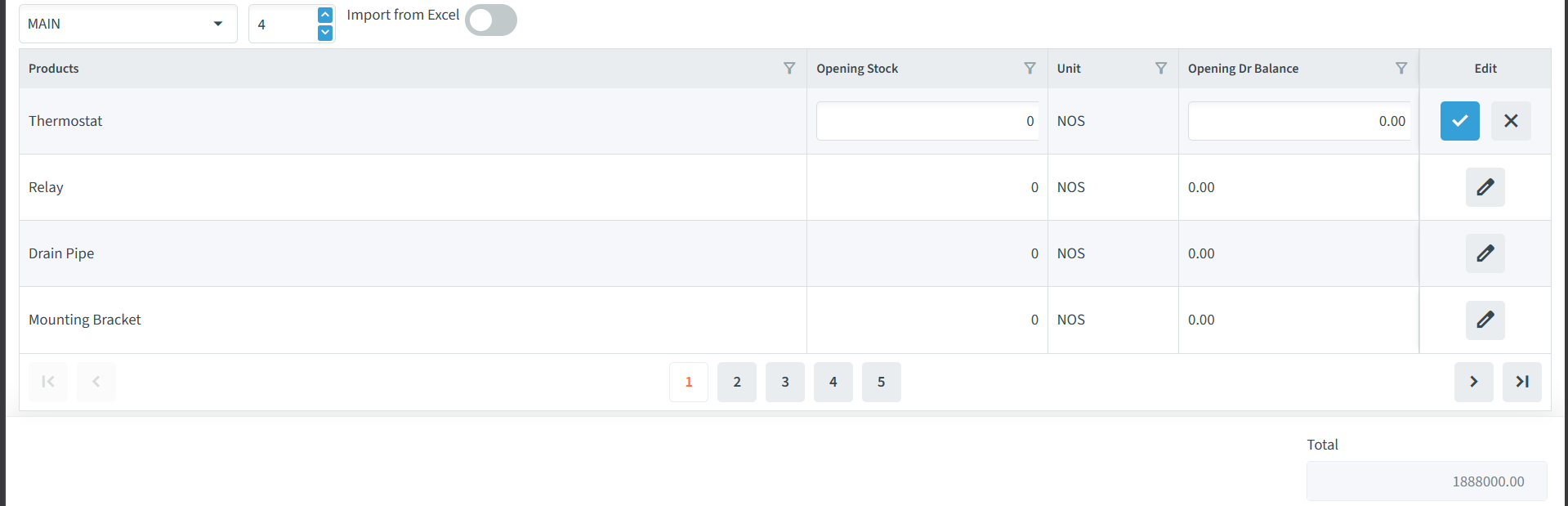
- Locate the required product.
- Click the Edit icon.
- Modify the Opening Stock or Opening Dr Balance as required.
- Click ✓ to save the changes.
- Click × to cancel the changes.
Importing Opening Balances
The Import from Excel option allows opening balance information to be imported from an Excel file.
Use this option when you need to add or update opening balance information for multiple products.
