Welcome to our Support Center
-
Operations Management
-
Global Settings
-
Master Data
-
Administration
-
Task Management
-
Reports And Analysis
-
ProcessGrid Software Overview
< All Topics
Print
Read Emails
Posted
Updated
ByLakshmi Kammara
Navigation
- Click Tasks in the top navigation menu.
- Select Read Emails from the dropdown list.
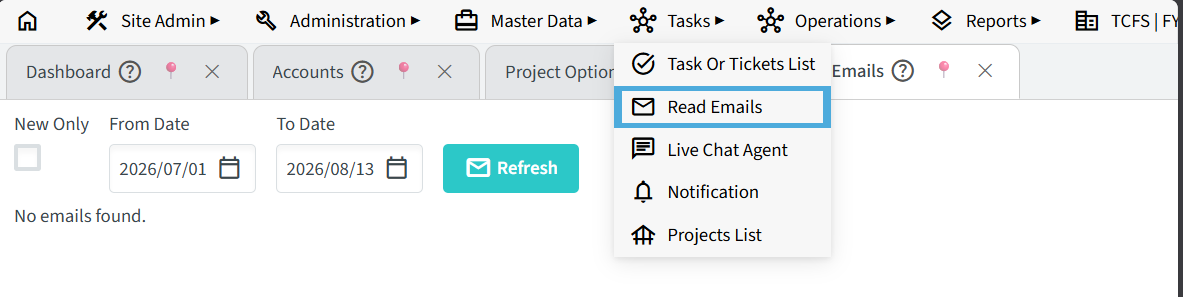
How to Enable Read Emails
To enable the Read Emails menu for a user, follow these steps:
- Go to Master Data → Users.
- Open the required user.
- Go to Role and Permissions.
- Enable Email2Ticket Permission.
- Save the changes.
Read Emails brings all your incoming messages into one place, making it easy to search and view emails from any date range you choose.

Viewing and Filtering Messages
Step 1: Set the Date Range
- From Date: Select or enter the start date for the period you want to inspect.
- To Date: Select or enter the end date for the search window.
Step 2: Apply Status Filters (Optional)
- Check New Only to restrict results strictly to unread or newly arrived emails.
- Leave New Only unchecked to retrieve both read and unread messages within the selected timeframe.
Step 3: Load Results
- Click Refresh to run the query and display matching messages in the list below.
Table of Contents