Welcome to our Support Center
-
Operations Management
-
Global Settings
-
Master Data
-
Administration
-
Task Management
-
Reports And Analysis
-
ProcessGrid Software Overview
< All Topics
Print
Products Closing Balance
Posted
Updated
ByLakshmi Kammara
Products Closing Balances displays the closing stock balance of the products available in the system.
How to Access
- From the main menu, click Operations.
- Select Inventory.
- Select General.
- Click Products Closing Balances.

Available Fields
- Product Name: Displays the name of the product.
- Closing Stock: Displays the closing stock quantity available for the product.
- Unit: Displays the unit of measurement for the product.
Additional Options
- Items per Page: The number displayed in the field indicates how many products are shown on the screen at a time. The default value is 4. Click the field and adjust the number according to your requirement.
- Filter: The filter icon can be used to filter the displayed product records based on the available options.
- Pagination: Use the page numbers or navigation arrows at the bottom of the table to move between pages and view additional products.
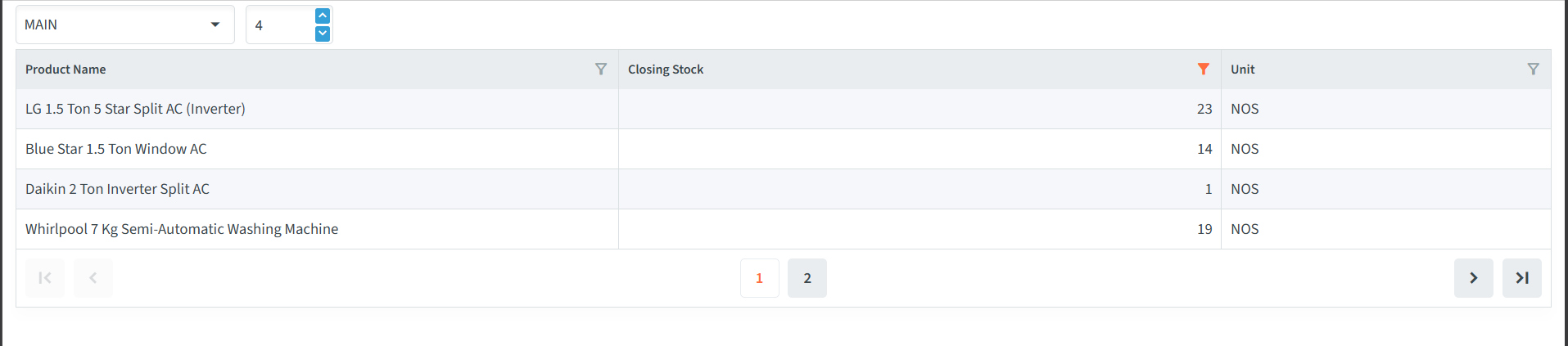
Table of Contents